App Settings are the general settings for your app and settings related to member identification and registration. It can be found in the Operation tab, under Settings.
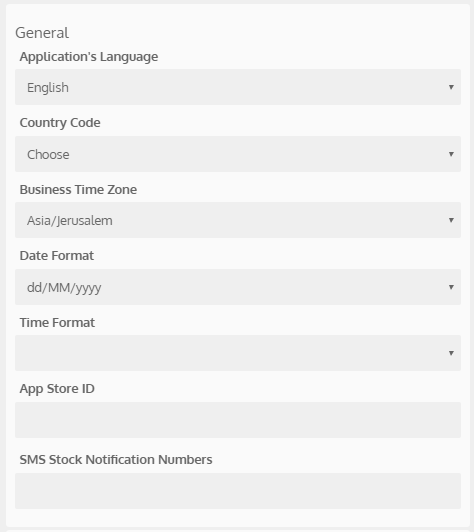
General Settings
| Field | Description |
| Application's Language | Select the language for your app, used to display all the default app text. |
| Country Code | This country code will be associated with the member's phone number. |
| Business Time Zone | All member related actions in the app are presented according to this time zone. For more on time displays, click here. |
| Date Format | Select the date format (dd/MM/yyyy or MM/dd/yyyy) for date displays in the Como Hub and in the app. |
| Time Format | Select whether AM/PM or 24-hour format is used in the app itself. The Como Hub displays time in the 24-hour format. |
| App Store ID | Used for the Rate the App button to allow members to rate the app on the Apple App Store |
| External Reference ID | SalesForce contains a button with a link to the app creation wizard. When an app is created this way, the SalesForce business ID is automatically added to this field. |
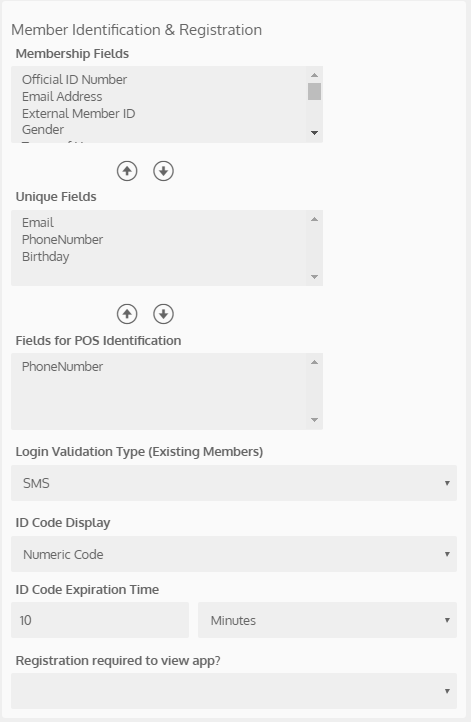
Member Identification & Registration
| Field | Description |
| Membership Fields | List of all possible fields that can be chosen as unique fields.
|
| Unique Fields | Unique fields are used to uniquely identify members in the system. In other words, no two members can register with the same value for a unique field. |
| Fields for POS Identification | Members can only identify at the POS with these fields. NOTE: The API only allows identification using phone number, gov ID, club member ID or ID code.
|
| Login Validation Type (Existing Members) | Select which method is used to validate the identity of a member that wants to login to the app as an existing member. NOTE: Members need to login to the app if they were logged out or if they want to login from another device. |
| Redeem Code Display | Select to display redeem codes as numeric codes, QR codes or barcodes. |
| ID Code Expiration Time | How long after the member generates an ID code from their app that they can use the code to identify at the POS |
| Registration required to view app? | If you select Yes, when members open the app, they'll be required to register (or login) to continue. |